
The Shipments module allows suppliers to view and manage the shipments associated with their customers’ purchase orders, focusing mainly on dispatched products and commercial documentation.
From this module, suppliers can:
-
Access a consolidated list of shipments created from their customers’ purchase orders.
-
Use filters to quickly find shipments by shipment number, purchase order number, shipping status, or issued date range.
-
Review key logistics information at a glance, such as Incoterm, transportation mode, and estimated departure date.
-
Open a shipment to review the products included in that dispatch.
-
Upload and manage commercial invoices associated with a specific shipment.
This module centralizes shipment-level information, ensuring that commercial and logistics data related to dispatched products is visible, structured, and aligned with the customer’s import process.
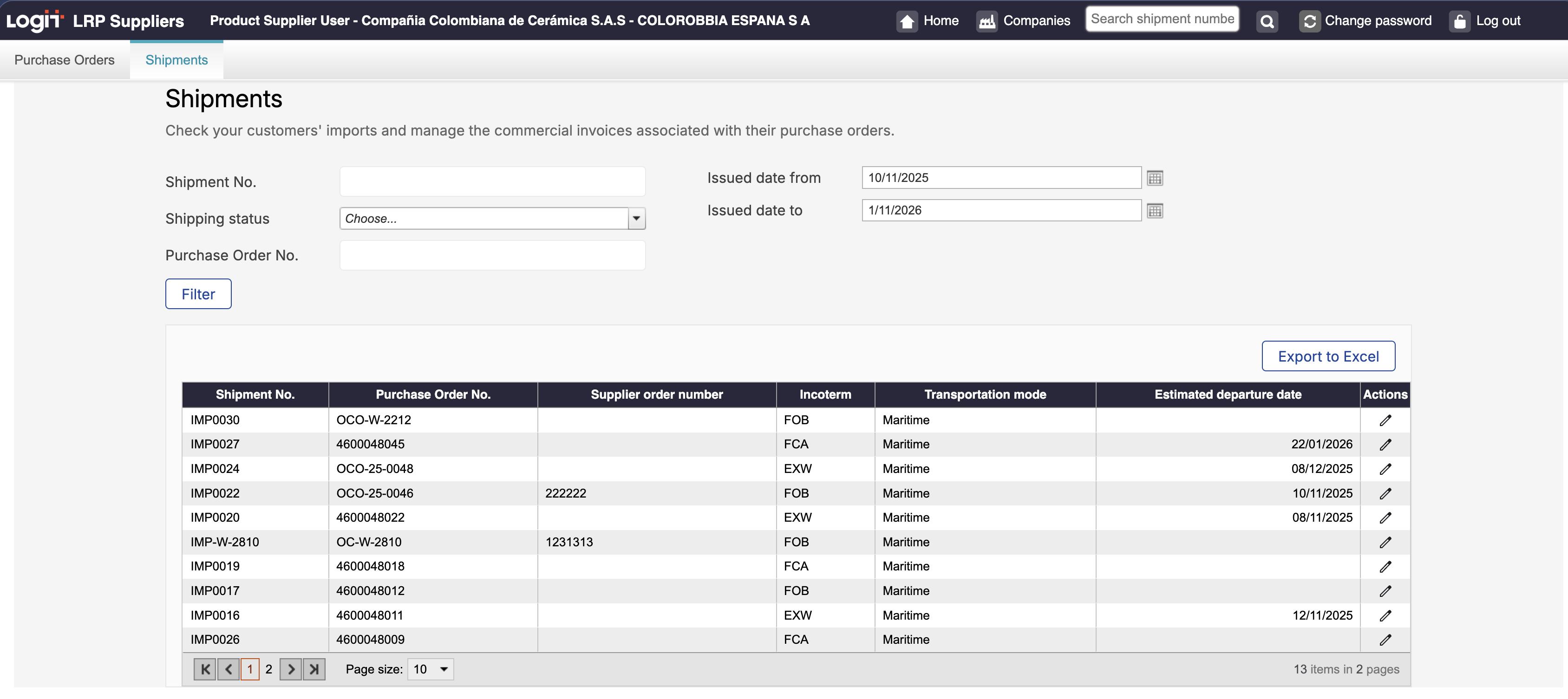
Filters description
At the top of the page, you can use the following filters to narrow down the list of shipments:
Shipment No. Filters shipments by their shipment number.
Purchase Order No. Filters shipments associated with a specific purchase order number.
Shipping status. Filters shipments according to their current shipping status.
Issued date from. Displays shipments issued on or after the selected date.
Issued date to. Displays shipments issued on or before the selected date.
Shipment detail view
By selecting a shipment from the list, you can open its detailed view and work with the information related to that specific dispatch.
This view is focused on shipped products and commercial documentation.
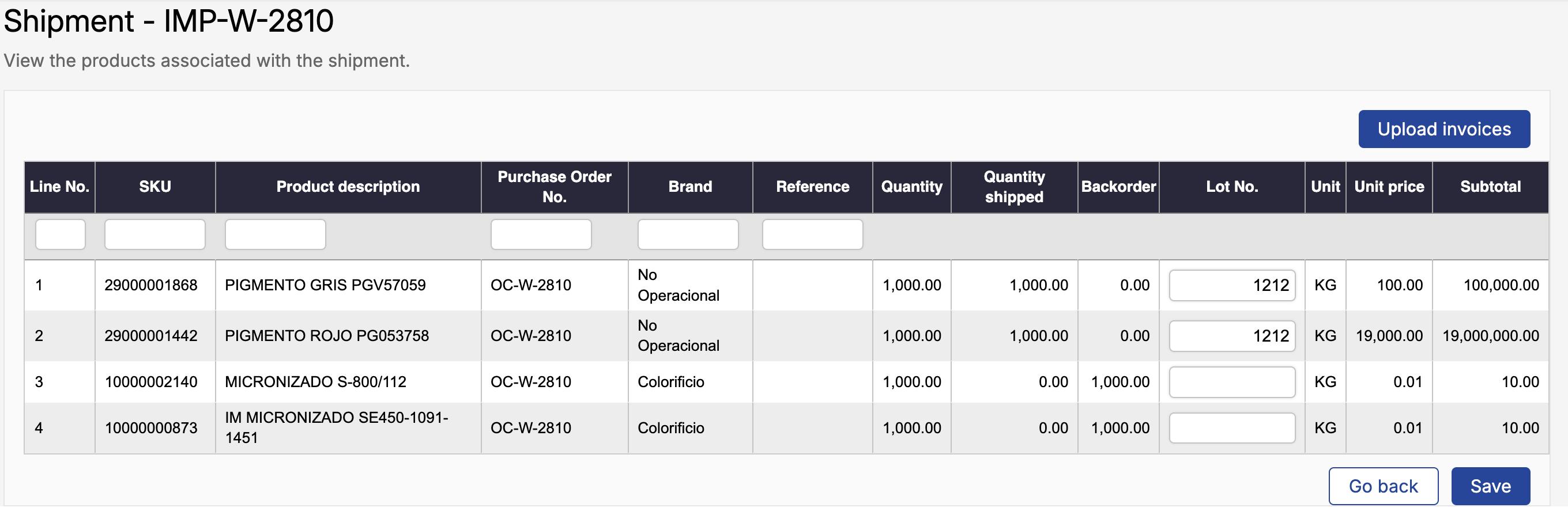
From the shipment detail view, suppliers can:
-
Review the products included in the shipment, including quantities shipped, backorders, and unit values.
-
Identify the purchase orders associated with the shipment, since a single shipment may include products from one or more purchase orders.
-
Optionally register lot numbers for the shipped products, when applicable.
-
Upload and manage commercial invoices associated with the shipment, such as commercial invoices (and credit notes, if applicable). To see how to upload a commercial invoice, go to the documentation Commercial invoice
This view provides the client with the final, shipment-level information required for logistics, customs, and cost-related processes.