
As a product supplier, you are able to manage and upload shipment-related files through the LRP Suppliers portal.
Uploading documentation —such as Packing Lists, transportation documents (such as the Bill of Lading or Air Waybill) or Certificates of Origin— at the shipment level allows for seamless coordination between the supplier and the customer. This ensures all parties have the necessary data for logistics and customs compliance.
This guide outlines the process for uploading and managing files within the Documents tab.
How to upload documents to a shipment
-
Go to Shipments from the main menu. In this view, you will see all shipments associated with the purchase orders that include the shipped products.
-
In the Actions column, click the Edit icon of the shipment you want to manage to open its detail view. You can also click the Shipment number in the table.
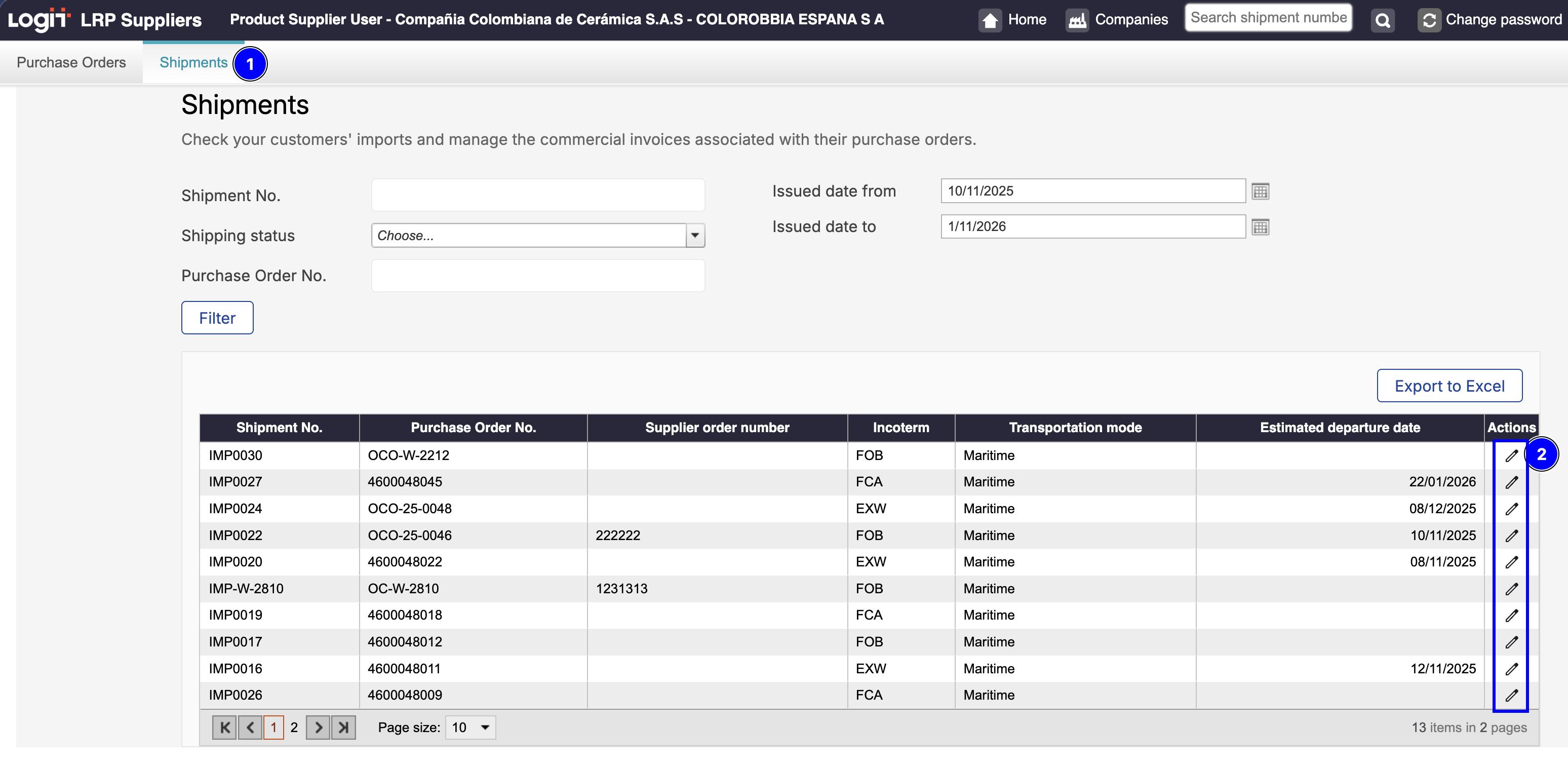
Edit a Shiptment -
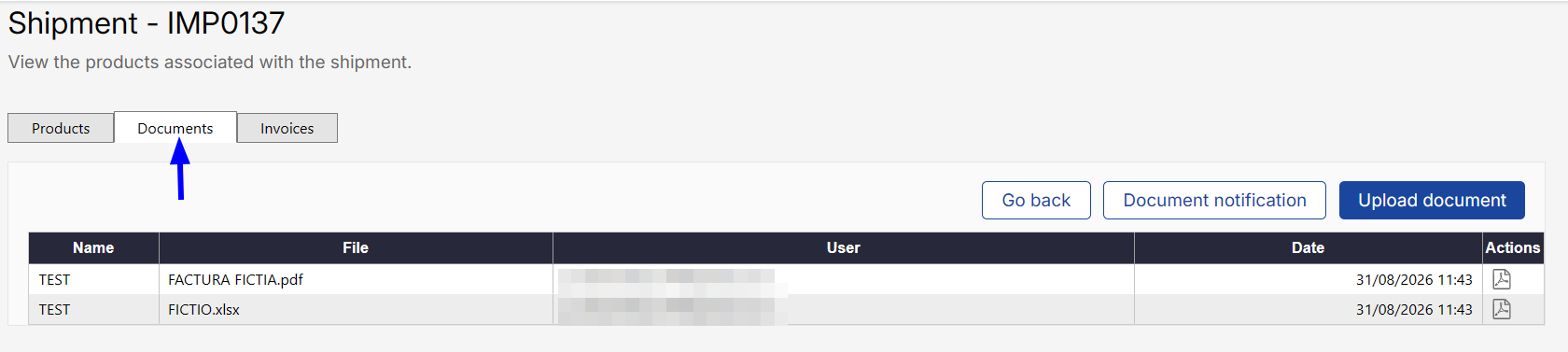
From the shipment detail screen, select the 'Documents' menu. This tab displays a table containing all previously uploaded documents.
-
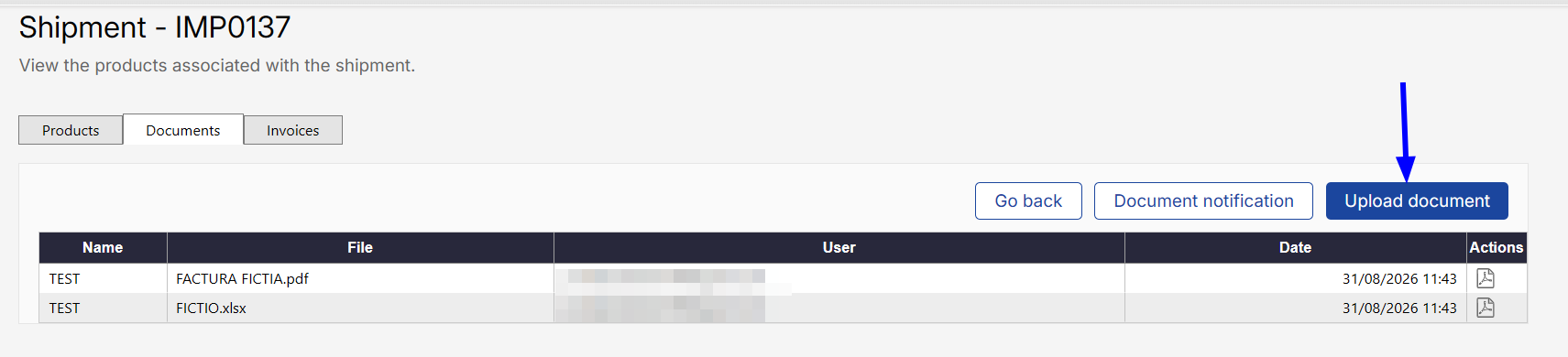
To add a new document, click on Upload document.
-
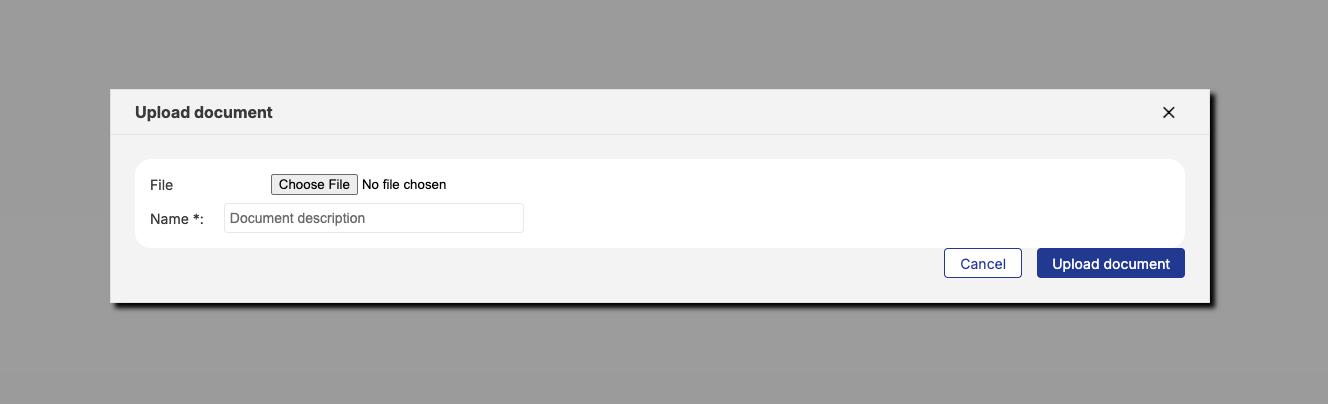
In the pop-up window, select the document clicking on Choose File and set a descriptive name.
-
Click Save to finish.
Once uploaded, the document will be associated with the shipment and will be available to the client for their review in the LRP Portal.
Automatic document notification
Once you successfully upload a document to a shipment, the system automatically sends an email to the person responsible for the operation.
The email informs the client that a new document has been uploaded to the shipment and provides access to the platform, where the client can review and classify the document.
No additional action is required from the supplier. The notification is sent automatically with each document uploaded successfully.
Make sure you upload the correct file and use a clear, descriptive name. The person responsible for the operation will be notified automatically after each successful upload.
FAQ
Can I upload any type of document?
Yes. Upload whatever documents are relevant to your shipment: packing lists, bills of lading, quality certificates, test reports, shipping proofs, and more.
What should I name my document?
Be descriptive so your buyer knows what it is at a glance. Examples: "Packing List - Order #12345," "Quality Certificate - Batch A," "Bill of Lading - Tracking #789." Avoid generic names like "Document-v2."
Can I change the name after uploading?
Not yet. Name it clearly before you upload.
Why can't I delete a document after my buyer classifies it?
Once your buyer classifies it, the document becomes part of the official import record. Protecting it from accidental deletion keeps your records clean and complete.
Can I see documents uploaded by other suppliers?
No. You only see documents you uploaded. Your buyer's import team sees all documents from all suppliers for that shipment—they need that view to coordinate.
What if I upload the wrong file?
Before your buyer classifies it, you can upload the correct file. Give it a clear name so your buyer knows which version to use. Once classified, contact your buyer if corrections are needed.
How do I know if my buyer classified my document?
Log into your portal and check the Documents tab. If you can no longer delete it, it's been classified.
What if I have questions about my uploaded documents?
Contact your buyer directly. They manage the classification and can explain the status of any document.